


Index
Why Vonge Is a Great Starter Template
Why a Website Matters Beyond GitHub and LinkedIn
My Customized Vonge: Taking It Beyond the Template
Overall Comparison
How to Set Up the Portfolio
Why Vonge Is a Great Starter Template
The Vonge Hugo Bookshop template is a clean, modern and lightweight starting point for anyone looking to set up a portfolio website quickly. With its minimal design, flexible content blocks, and Hugo integration, it provides the perfect balance of structure and freedom. Beginners don’t have to reinvent the wheel—Vonge lets you focus on adding your content instead of struggling with the technical setup.
Why a Website Matters Beyond GitHub and LinkedIn
In today’s competitive job market, standing out is more than just having a GitHub profile full of repositories or a polished LinkedIn profile. A personal website acts as your digital home base, where you control the narrative. Unlike GitHub (which is code-focused) and LinkedIn (which is résumé-focused), a website lets you showcase projects in a visual, interactive way. Recruiters and hiring managers can see both your technical skills and presentation sense, which can make a huge difference in landing opportunities.
My Customized Vonge: Taking It Beyond the Template
While Vonge provided a strong foundation, my goal was to turn it into a portfolio tailored for a career in Data Analytics and AI. Here’s what I did differently compared to the original:
1. Project-Centric Homepage
Vonge’s original design focuses on creative work/photography. I restructured the homepage to highlight data analytics dashboards, AI applications, and hands-on projects.
Each project isn’t just an image but a story, with a description, tech stack, and direct links to demos and repositories.
Manual Project Ordering via weight
Use a weight field in front matter for the project items and then sort projects by descending weight so featured/important ones appear first.
The original uses default ordering (date or alphabetical) or less flexible ordering.
2. Detailed Project Pages
Instead of static visuals, I added interactive buttons leading to live projects on Streamlit, Hugging Face, Tableau and GitHub.
Integrated badges for tools & technologies like Python, Pandas, Excel, and Streamlit to make skills instantly recognizable.
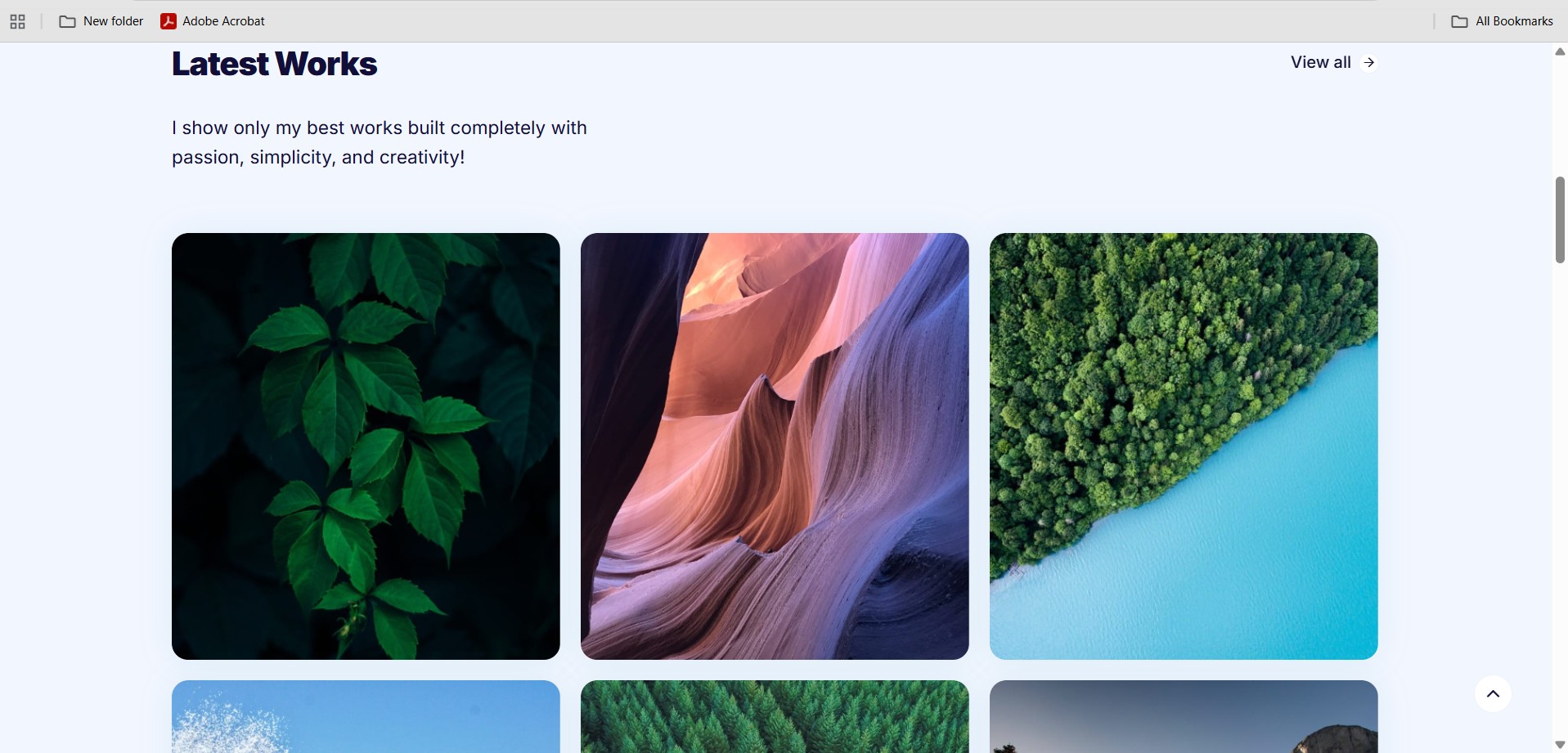 Original Project Section from Vonge with simple features.
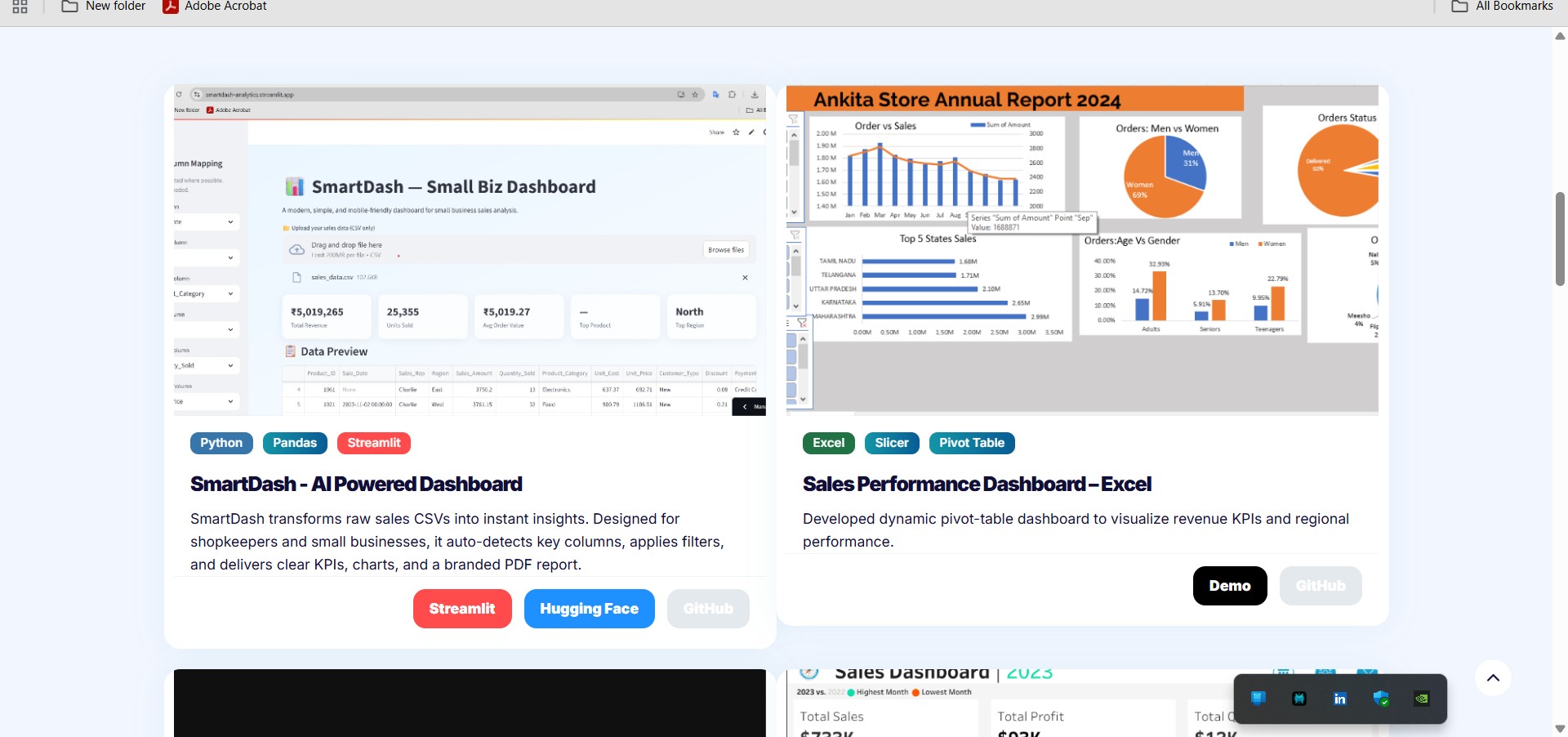 Customize Project Section with buttons(customized for Github, Streamlit, Huggingface, Tableau etc..), Tags, Title and Subtitle
3. Professional Customization
Rewrote all placeholder content to reflect my professional journey and skills in analytics and AI.
Embed Excel Workbook via Microsoft Office Online Viewer
Embedded an Excel workbook or Tableau workbook via an external public URL (Office Online Viewer) in content. This is a custom content / embed not part of original template.
Allowing raw HTML in Markdown (Goldmark unsafe etc.) so that embedded iframes, HTML snippets etc. work.
4. Navigation and Flow
Improved navigation by prioritizing Projects, ensuring recruiters land exactly where I want them to.
Repository Structure / Additional Files
Use of content_blocks or similar data to render custom content on homepage (About preview pulling from a content block).
Preview of About on homepage uses HTML rather than plain text.
5. Deployment for Accessibility
Hosted the site via GitHub Pages, making it instantly accessible to anyone without extra steps.
GitHub Pages Deployment with Workflow
Automated build & deploy workflow (.github/workflows/hugo.yml) so pushing to main triggers build and publishes to gh-pages branch.
The original template includes instructions to run Hugo locally, generate component browser etc., but doesn’t come with pre-made GitHub Actions workflow
Overall Comparison
| Area | Original Vonge Theme | Your Version (“Akash Gupta portfolio”) |
|---|---|---|
| Purpose / Focus | A general portfolio/blog template, with component library, blog, portfolio tags/pages etc. | Personal data analytics / portfolio site: projects, blog posts, “About me”, with embeds and custom ordering etc. |
| Configuration & Setup | Uses Hugo with Bookshop components; Hugo module etc. | Uses Hugo extended; more configuration in config.toml, additional workflows (GitHub Actions) for deployment; raw HTML in Markdown enabled; manual ordering (weight) in content frontmatter. |
| Layout / Content Structure | Standard structure: content, component-library, layouts, static etc. | Similar structure but some custom content, additional files / components, ordering and About section customised. |
How to Set Up the Portfolio
If you’d like to build your own version (either starting from the original Vonge template or my customized portfolio), here’s the step-by-step process:
1. Clone the Repository
# Clone the original Vonge template
git clone https://github.com/CloudCannon/vonge-hugo-bookshop-template.git

# OR clone my customized version
git clone https://github.com/Itsaakashgupta/itsaakashgupta.github.io.git
Install Hugo
Make sure you have Hugo Extended installed.
Check version:
hugo version
Run the Site Locally
cd itsaakashgupta.github.io
hugo server
Now open http://localhost:1313 in your browser to preview the site.
Customize the Content
Edit text in /content/ (projects, about, contact).
Replace images in /static/images/.
Adjust site configuration in /config.toml.
Deploy the Site
Easiest option: GitHub Pages
Push your changes to a GitHub repo.
Go to Settings → Pages.
Select branch (main) and root folder (/).
Your portfolio will be live at:
https://<your-username>.github.io
